How to Get Daily Cybersecurity News in Your Inbox — Signal, Not Vendor Pitches
Published July 3, 2026
It's 11pm and you're scrolling Twitter when a researcher posts a CVE for the exact firewall you manage. Nobody paged you — you just got lucky.
The good news? You can replace that luck with a system in about two minutes — and the first edition is free.
In this guide, I'll show you how to get daily cybersecurity news in your inbox with MorningMail, a tool I built. Every morning, an AI agent searches the web fresh and writes you a short email: actively exploited CVEs, patches, breach disclosures, NIS2 — with the advisories linked.
Let's set it up.
What you'll build
Security newsletters write for an imagined admin who runs every product at once. You don't. You run a specific estate — Windows servers, a Fortinet perimeter, Microsoft 365, one legacy Linux box nobody admits to owning — and 90 percent of any generic digest is about someone else's stack.
MorningMail starts from your instruction instead. You describe that estate once, and every morning an agent searches current sources and writes the report itself — severity, affected versions, advisory linked. It's not a link forwarder like Google Alerts: you get the conclusion, not a pile of matches to triage.
And your prompt keeps that context permanently, so the brief scales with the day. Quiet morning? A genuinely short email. A KEV addition that hits your stack? It leads — because you told the agent what "hits your stack" means.
See it live: today's edition
So here's a real example. This is today's edition of exactly this newsletter — written by the agent this morning, based on the example prompt from this guide. Not a mockup: I run it myself on MorningMail.
Edition from August 9, 2026
California audits, Ethiopia mandates, critical questions loom
CalPrivacy Audits Division
California's privacy regulator just weaponized routine compliance audits.
The California Privacy Protection Agency established a new Audits Division on August 5 to proactively evaluate whether businesses comply with the CPRA—even absent complaints or violations [Quelle: DataGuidance]. CalPrivacy issued a request for input seeking feedback on how to assess emerging tech, inference engines, and identifiability risks. The shift from complaint-driven enforcement to systematic audits signals regulators are moving from reactive prosecution to preventive oversight.
SaaS vendors selling to California consumers should prepare for intrusive examination of data flows and security controls.
Ethiopia's Critical Infrastructure Fund
Ethiopia just mandated cybersecurity across twelve critical sectors with teeth.
The Information Network Security Administration introduced the Critical Infrastructure Cybersecurity Protection Proclamation, establishing a permanent fund financed by mandatory contributions from critical infrastructure operators, administrative fines, and service fees [Quelle: The Reporter]. Organizations must deploy Security Operations Centers, conduct risk assessments, obtain audit certifications, and report incidents within 48 hours or face fines of ETB1.5–2 million. A one-year grace period begins now, with INSA providing technical support and publishing standards during that window.
This is the first time an African nation has bundled infrastructure cybersecurity obligations with dedicated funding and enforcement timelines.
SaaS compliance readiness exposed
Most SaaS providers cannot answer basic CPRA compliance questions.
Industry advisors note that organizations lack executive ownership of privacy governance, leaving them unable to demonstrate adequate security controls or data collection disclosure mechanisms to regulators [Quelle: Heights CG]. CalPrivacy's new audit division will expose these gaps systematically. The combination of proactive audits and leadership blind spots creates immediate risk for vendors serving California.
Boards that have not assigned privacy accountability will face enforcement scrutiny starting this fall.
 California: CalPrivacy announces new Audits Division and requests ...20 hours ago ... ... cybersecurity. Unlike enforcement actions, the division conducts audits reg. News. Continue Your Research. Join Now. Get 7 days of unlimited articles and ...dataguidance.com
 CCPA/CPRA Enforcement 2024: What SaaS Providers Must Verify16 hours ago ... ... enforcement actions, regulatory guidance, or priorities through mid-2024. The sources address the NIST Cybersecurity Framework, NIST Privacy Framework, and ...heightscg.com
 INSA Introduces Critical Infrastructure Cybersecurity Fund19 hours ago ... Under the new proclamation, twelve key sectors have been designated as critical infrastructure requiring enhanced cybersecurity measures. These include ...thereporterethiopia.com
One click creates your own editable copy — change the prompt, the delivery time, everything.
Browse all editions →You could get this general version into your inbox right now — and then fine-tune it to your very specific needs. Here's how to do it:
Step by step: from zero to your first edition
The whole setup takes about two minutes. And every screenshot below comes straight from the real product — nothing is mocked up.
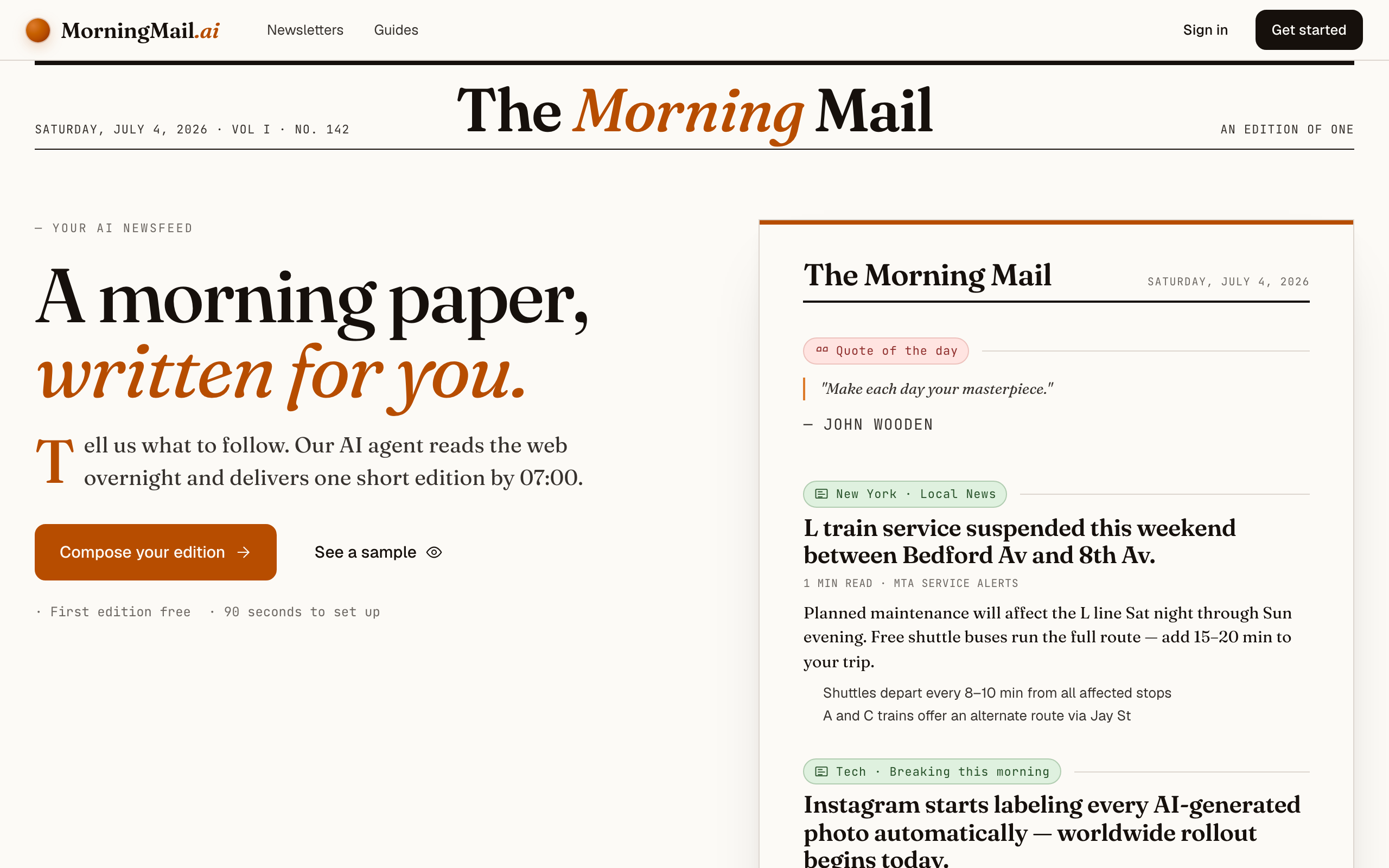
Step 1 Open morningmail.ai
Head over to morningmail.ai. You'll see a sample edition and the Compose button — that's your entry point. Nothing to install; everything runs in the browser.
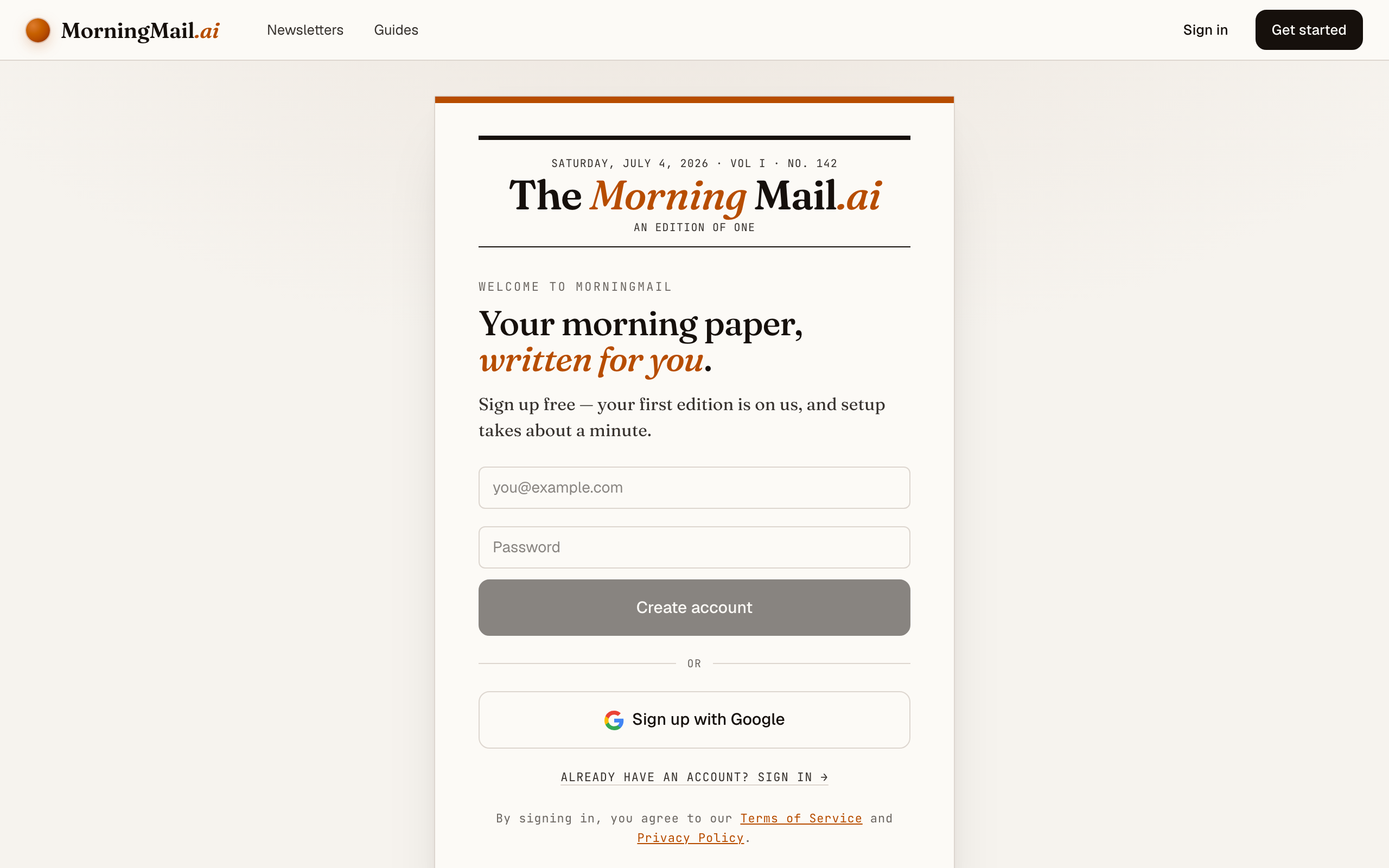
Step 2 Create your free account
Sign up with your Google account. Every new account comes with a free first edition built in — so you can send yourself a real email before paying a cent.
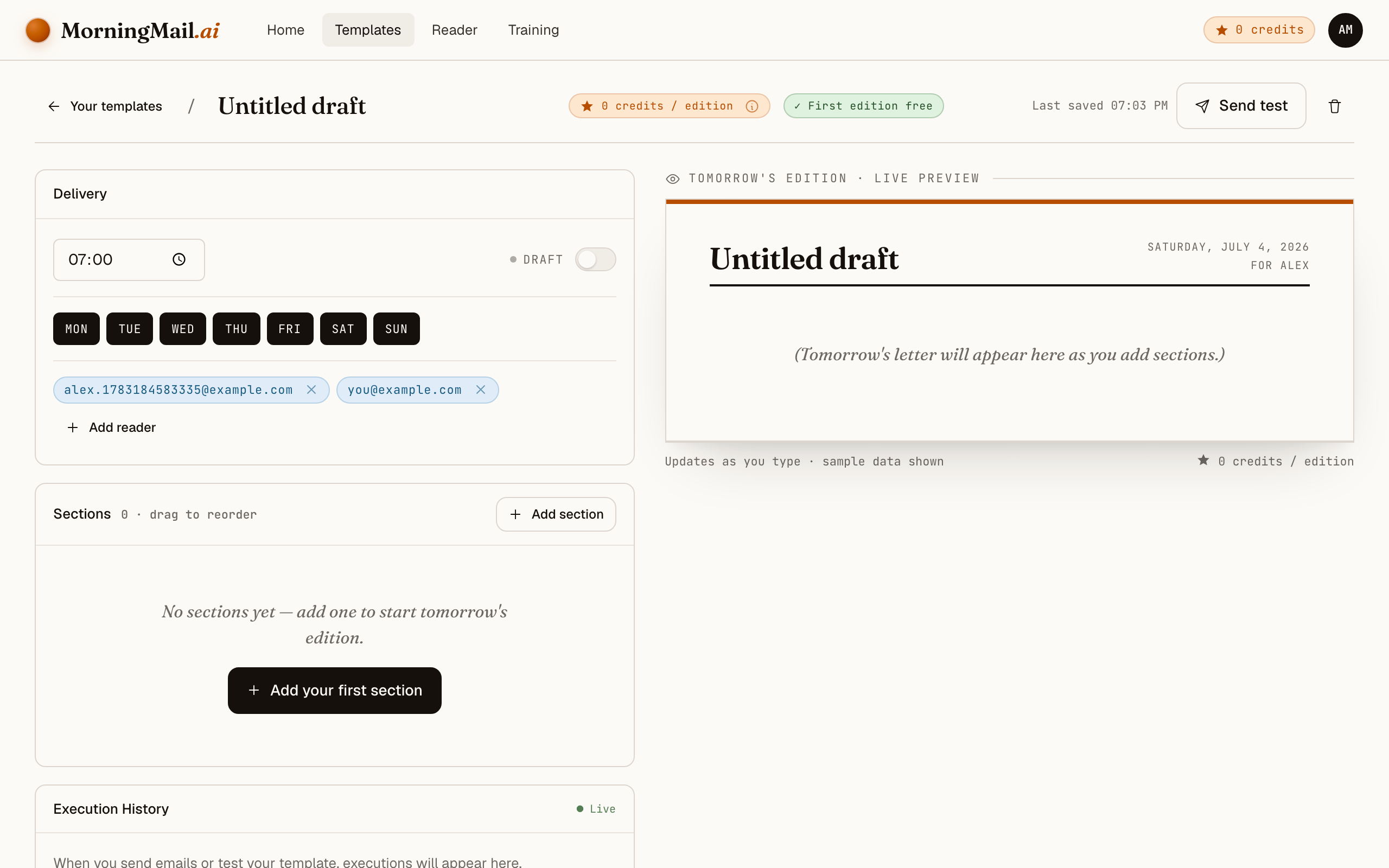
Step 3 Create your first template
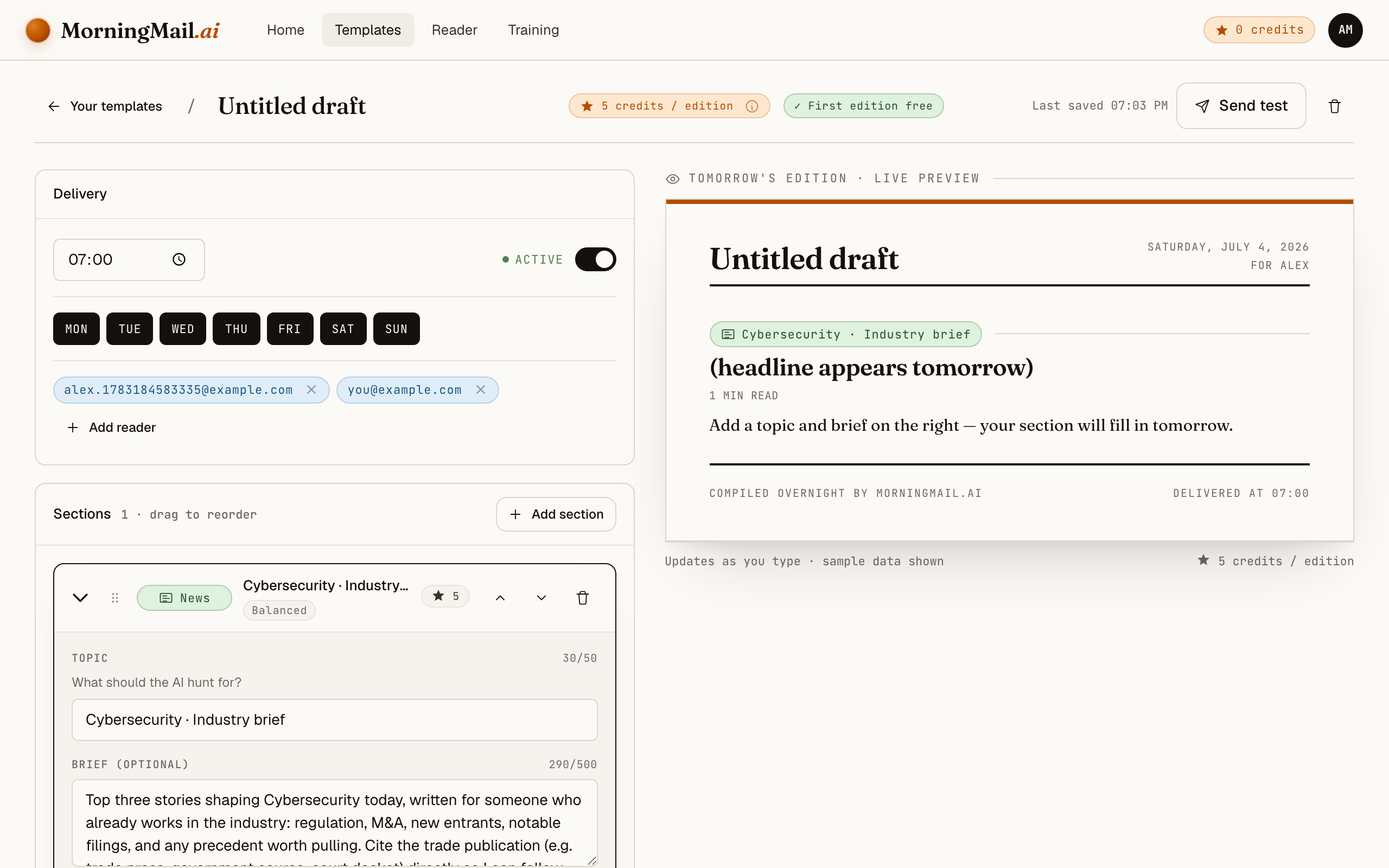
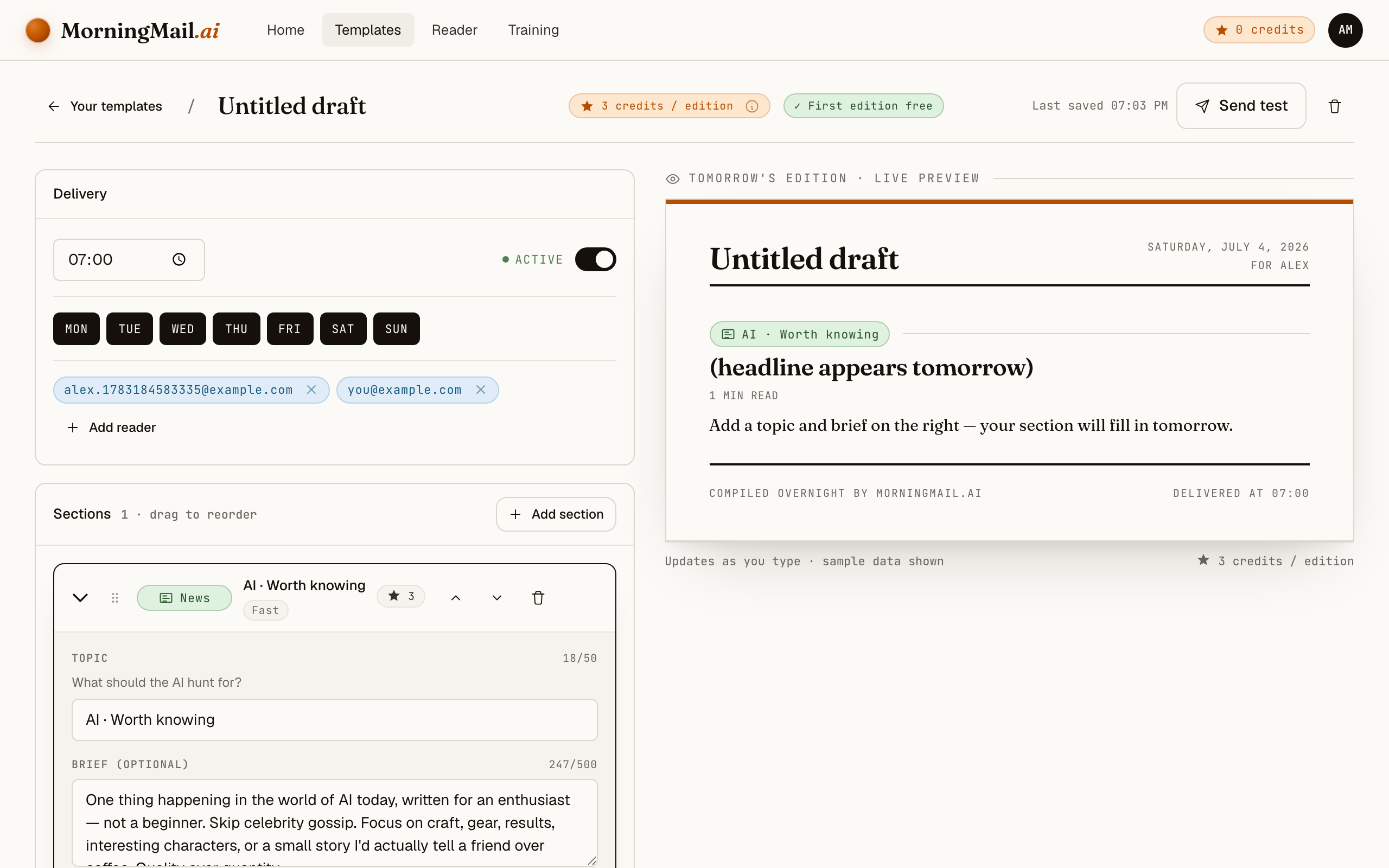
A template is the blueprint of your email: name, delivery time, recipients, and your content sections. Click "New template" and the builder opens with a live preview right next to the editor. Everything saves automatically — there is no save button to forget.
Step 4 Add a news section
Click "Add section +" and pick "News topic". You'll see six starters — real, editable prompts for a city, a sports club, a company, a tech topic, a professional field, and a personal interest. Pick one, and you're thirty seconds away from a working brief.
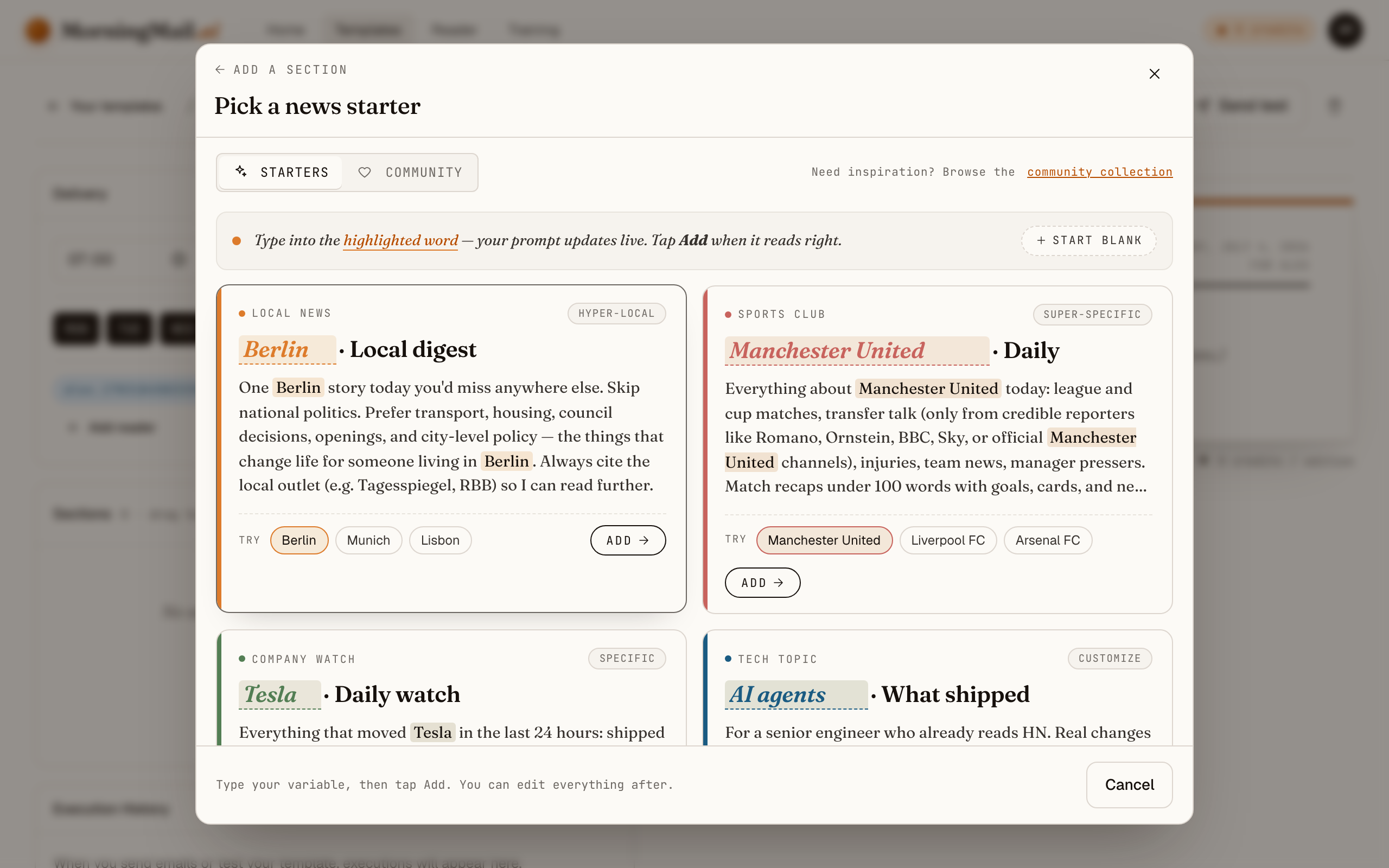
Step 5 Make it yours: Cybersecurity
Pick the "Professional brief" starter card and type Cybersecurity into the highlighted field. The card rewrites its prompt live around your term, so you can inspect the exact instruction your agent will run — before the first edition ever goes out.
The starter is deliberately senior: the top three stories shaping the field today, written for someone already in the industry, with the government or trade source cited directly. The highest-value edit is scoping it to your estate. I'd add: "We run Windows Server, Fortinet firewalls and Microsoft 365 for 800 users in the EU. Lead with actively exploited CVEs and vendor advisories for that stack, then NIS2; skip vendor product announcements."
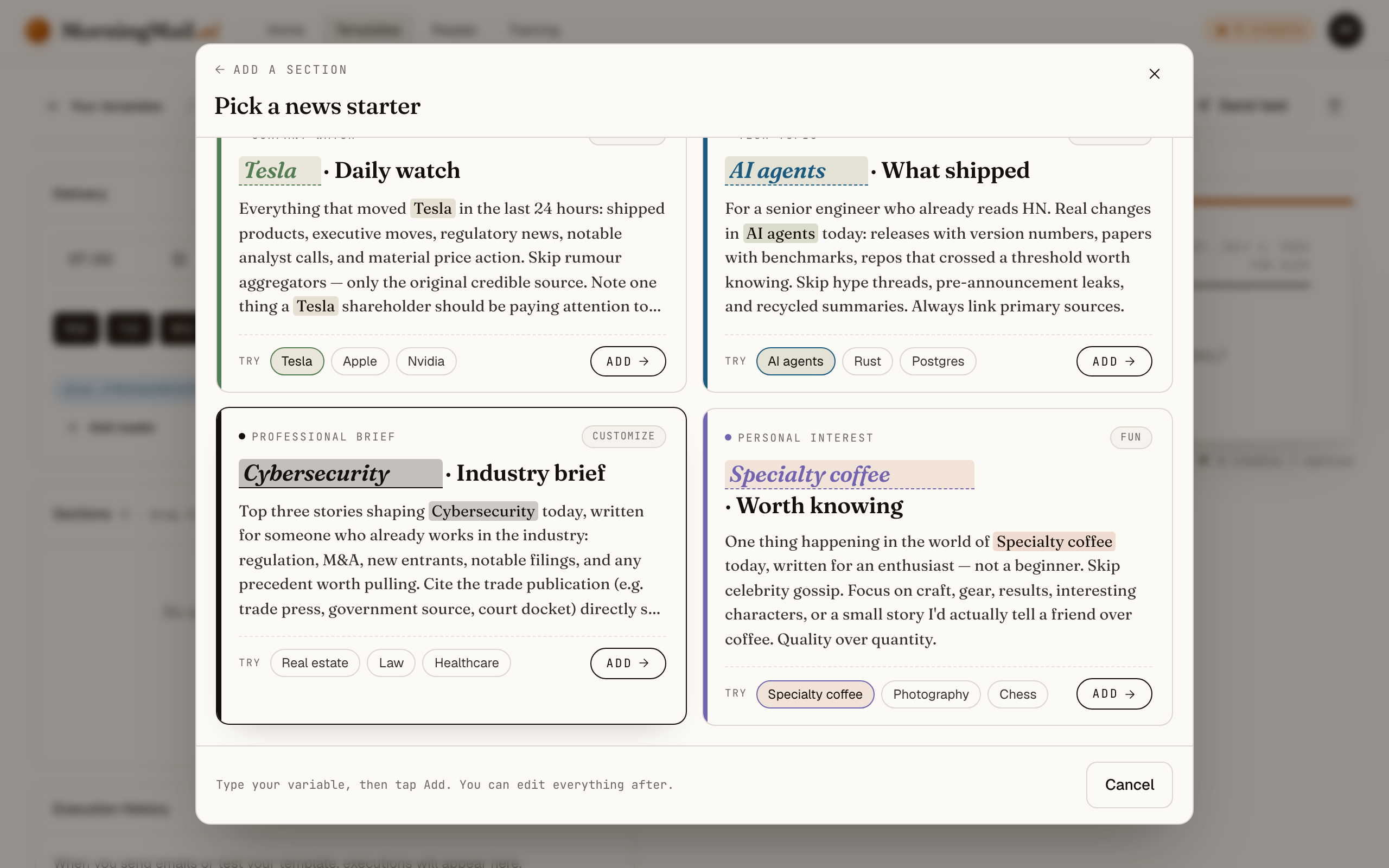 The exact prompt your section starts with
Top three stories shaping Cybersecurity today, written for someone who already works in the industry: regulation, M&A, new entrants, notable filings, and any precedent worth pulling. Cite the trade publication (e.g. trade press, government source, court docket) directly so I can follow up.
Step 6 Set your delivery time and send yourself a test
Almost there! Choose when the email should arrive and add your address as a recipient. Hit "Send test" — your first edition is free — and check your inbox. If something reads off, tweak the prompt and send again. Then flip the template to Active. Congratulations — you've just built your own morning brief!
Get more out of your brief
- Put your asset list in the prompt
- This is the single biggest quality lever. "Exploited vulnerabilities in Fortinet, Citrix, Exchange and VMware products first" turns a general news brief into something close to a personal advisory feed — written as prose you can forward.
- Ask for exploitation status, not just severity
- A CVSS 9.8 nobody exploits can wait for the maintenance window; a 7.2 with active exploitation cannot. Add "state whether each vulnerability is known to be exploited in the wild" and the brief starts triaging the way you do.
- Reserve one slot for regulation
- NIS2 obligations and incident-reporting deadlines move slowly, then suddenly. A line like "include one regulatory or compliance item when material" keeps you ahead of the audit without letting policy news crowd out patches.
- Send it to the whole ops team
- Templates support multiple recipients, so on-call and the sysadmin group read the same brief before the morning check-in. Everyone argues from the same three stories instead of three different Slack links 😊
- Keep the tone dry and the sections short
- Each section has its own length and tone settings. For security, terse wins: set the section to short, ask for bullets, and let the linked advisories carry the detail. Two minutes of reading — your time belongs to the follow-up.
Good sources to anchor your brief on
The agent searches the open web every morning and cites where it read things. These are the sources I'd point it at in your prompt:
- CISA Known Exploited Vulnerabilities catalog — The de facto triage list: vulnerabilities confirmed exploited in the wild, with remediation deadlines the rest of the industry treats as a benchmark.
- Microsoft Security Response Center (MSRC) — The primary source for Patch Tuesday and out-of-band fixes. If you run Windows anywhere, a brief that cites MSRC directly beats any second-hand patch roundup.
- Krebs on Security — Independent investigative reporting on breaches, cybercrime and the ecosystem behind them — often ahead of official disclosures, always sourced.
- The Hacker News — High-frequency coverage of vulnerabilities, campaigns and research. A useful breadth signal; your brief should chase its stories back to the underlying advisories.
- BSI / CERT-Bund advisories — Germany's federal security office publishes advisories and situation reports that matter for any EU operation — and for NIS2, the national implementation is where obligations get concrete.
- NVD (NIST) — The canonical CVE record: scores, affected configurations, references. The place your change ticket ultimately points to, whoever broke the story.
Frequently asked questions
- How much does this cost after the free edition?
- The first edition is free, no credit card. After that you pay per send in credits — a few per section, depending on the AI model tier it uses. Credits never expire, so a quiet month wastes nothing.
- Isn't this what Google Alerts does?
- Honestly — no. Alerts mail you every page that mentions your keyword, and for "cybersecurity" that's a firehose of vendor content you still have to read. Here the agent searches fresh each morning, filters against your prompt, and writes the report with the advisories linked.
- Does it cover CVEs and Patch Tuesday?
- Yes — if your prompt asks for them, and it should. Tell the agent to lead with actively exploited vulnerabilities and vendor advisories for your stack, and Patch Tuesday summaries arrive the morning after, MSRC and vendor pages linked.
- Is this a replacement for a threat-intel platform?
- No — it's a reading brief, not detection tooling. It won't watch your logs or your attack surface. What it replaces is the hour of morning triage across feeds, subreddits and newsletters — by writing the summary you'd have assembled by hand.
- Can it track NIS2 and other regulatory changes?
- Yes. Write it into the prompt — for example "include NIS2 implementation news and incident-reporting guidance for Germany when material." The agent re-reads its instructions every morning, so the regulatory thread stays warm without you chasing it.
Your inbox, your editor
Build your own AI-written brief in two minutes. The first edition is on me — no credit card required.
Build your brief — freeI am always happy to answer questions and I'm open to feedback. Feel free to reach out at any time: marius@morningmail.ai